AliExpress Dropshipping Import
Everything you need to install, configure and use the addon — written for store owners, not developers. No prior coding knowledge required.
01Overview
This addon lets the admin and every individual seller on an Active eCommerce CMS marketplace search AliExpress's live catalog, import products with one click (photos, description and price included), and fulfill orders without leaving the admin panel — including an optional one-click "Place Order on AliExpress" that creates the matching supplier order automatically.
Each admin/seller connects their own AliExpress account independently — nothing is shared between sellers.
02Requirements
Your store
- ✓Active eCommerce CMS v11.0 or newer, self-hosted
- ✓PHP 8.0+ with the ZipArchive, cURL and DOM extensions enabled
- ✓FTP or file manager access to your server (no SSH or command line needed)
Your AliExpress account
- ✓A free AliExpress Open Platform developer account (open a browser tab for
openservice.aliexpress.comwhen you reach Step 5 below) - ✓No AliExpress affiliate program membership required
03Installation
-
Upload two files to your server
Upload both
aliexpress_installer.phpandaliexpress_dropshipping_import.zip(from the package you downloaded) into the same folder — normally your site'spublicfolder, wherever your homepage'sindex.phpalready lives. Any FTP client or your host's file manager works. -
Open the installer in your browser
Visit
https://yourdomain.com/aliexpress_installer.php. Enter the license key you received after purchase and click Install. -
Let it finish
The installer verifies your license, copies the addon's files, updates the database and clears your site's caches — all automatically. Your license key is saved for you; you won't need to re-enter it.
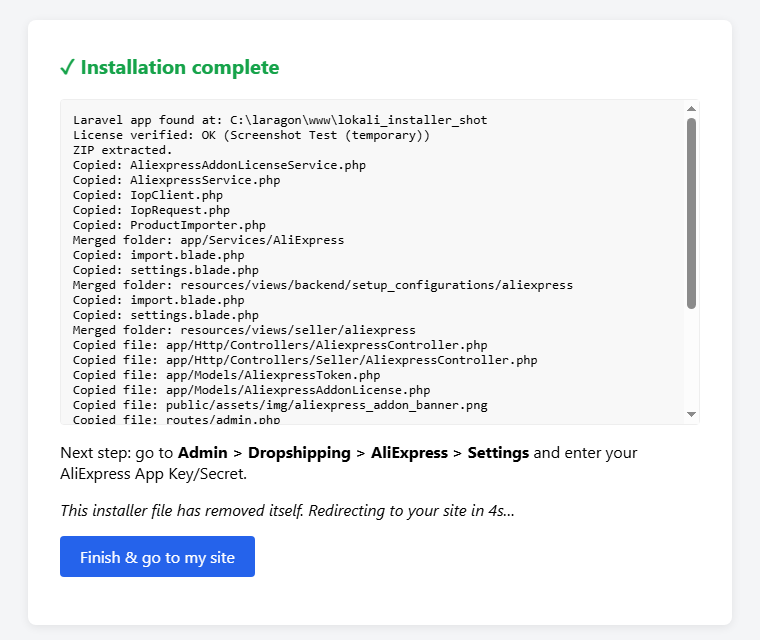 Installation complete — click Finish to return to your siteFor your security The installer deletes both itself and the ZIP file the moment installation succeeds — nothing is left behind for anyone else to run.If things still look/behave like the old version The installer resets your server's OPcache automatically, but a small number of hosts restrict that. If updates don't seem to take effect, ask your host to restart PHP-FPM (most control panels have a one-click "Restart PHP" button) — this always resolves it.
04Connecting your AliExpress account
Every admin and seller who wants to import products connects their own AliExpress account — this is a one-time setup per person.
-
Register a free AliExpress Open Platform app
Go to
openservice.aliexpress.com, sign in, and create a new app. Your Settings page (next step) shows you the exact Callback/Redirect URL to paste into that registration form. -
Enter your App Key & Secret
In your store, go to Dropshipping > AliExpress > Settings and paste in the App Key and App Secret AliExpress gave you.
-
Click "Connect to AliExpress"
You'll be sent to AliExpress to authorize the connection, then returned automatically.
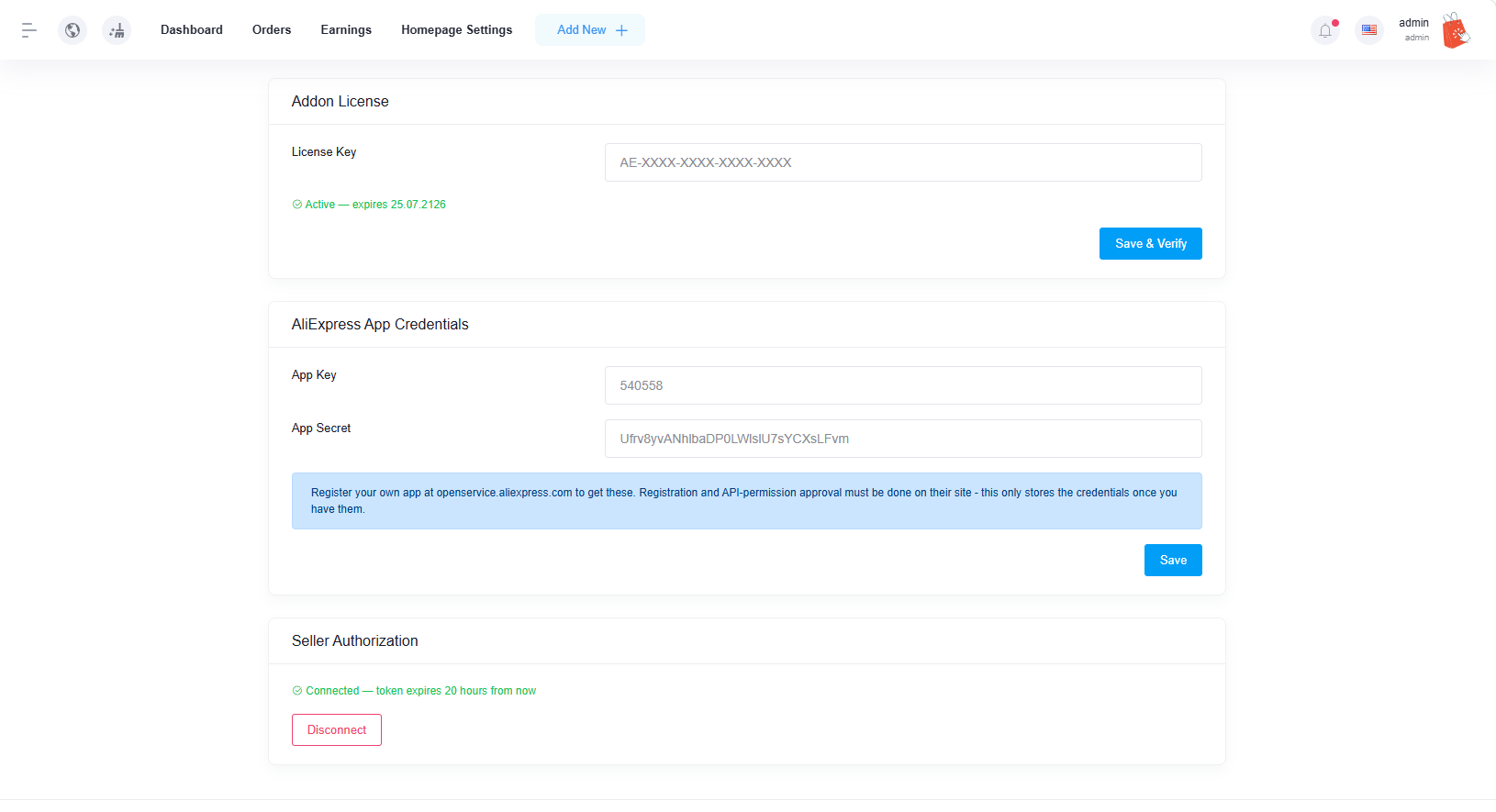 Settings page — license, credentials and connection status all in one place
05Searching & importing products
Go to Dropshipping > AliExpress > Import Products. Type a keyword, pick which category and unit to import into, and click Search.
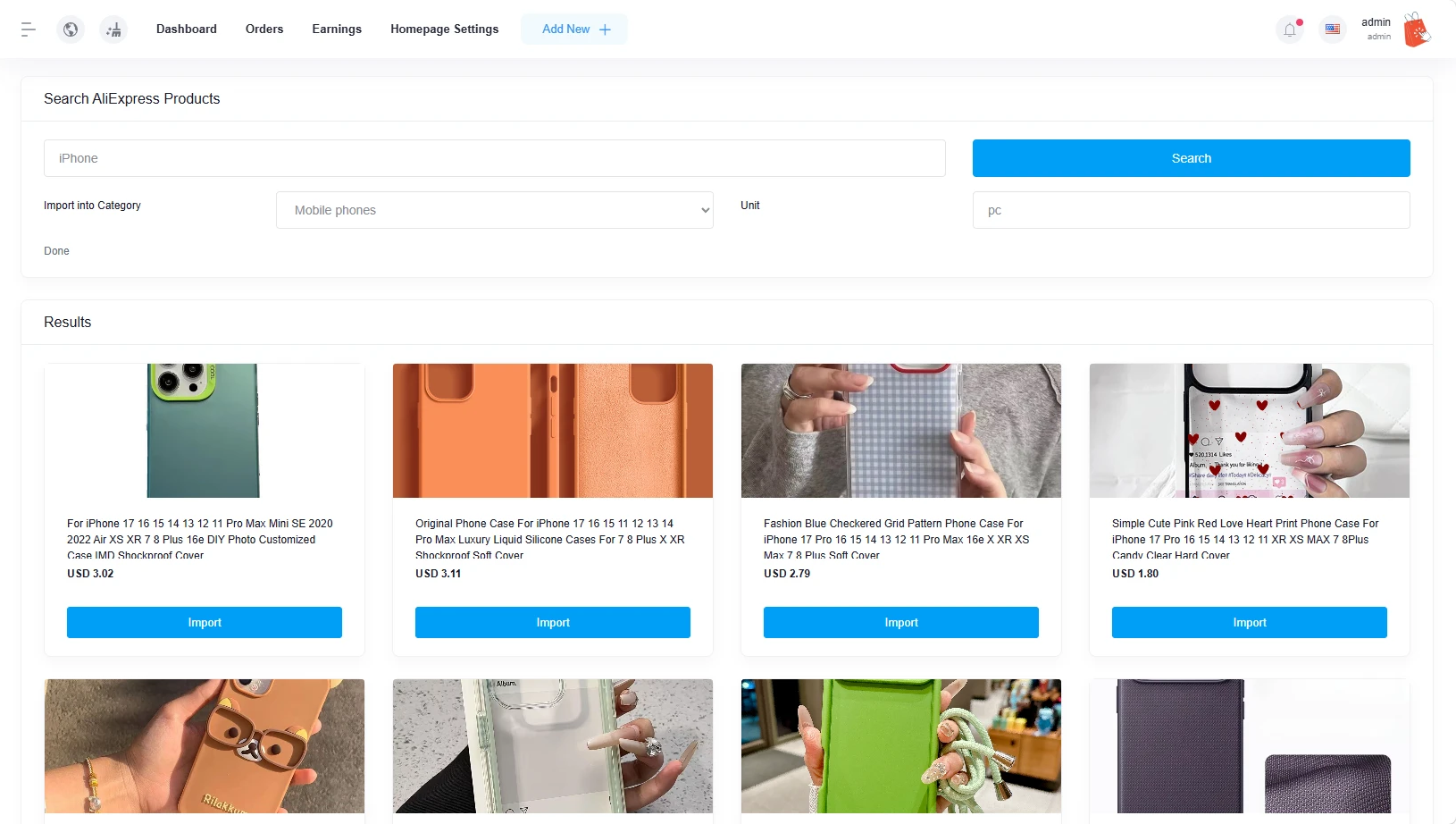
Click Load More at the bottom of the results to fetch additional pages for the same search. Click Import on any product card to bring it into your store — photos are downloaded and stored on your own server (so they keep working even if the AliExpress listing changes later), and the description is automatically cleaned of anything unsafe before it's saved.
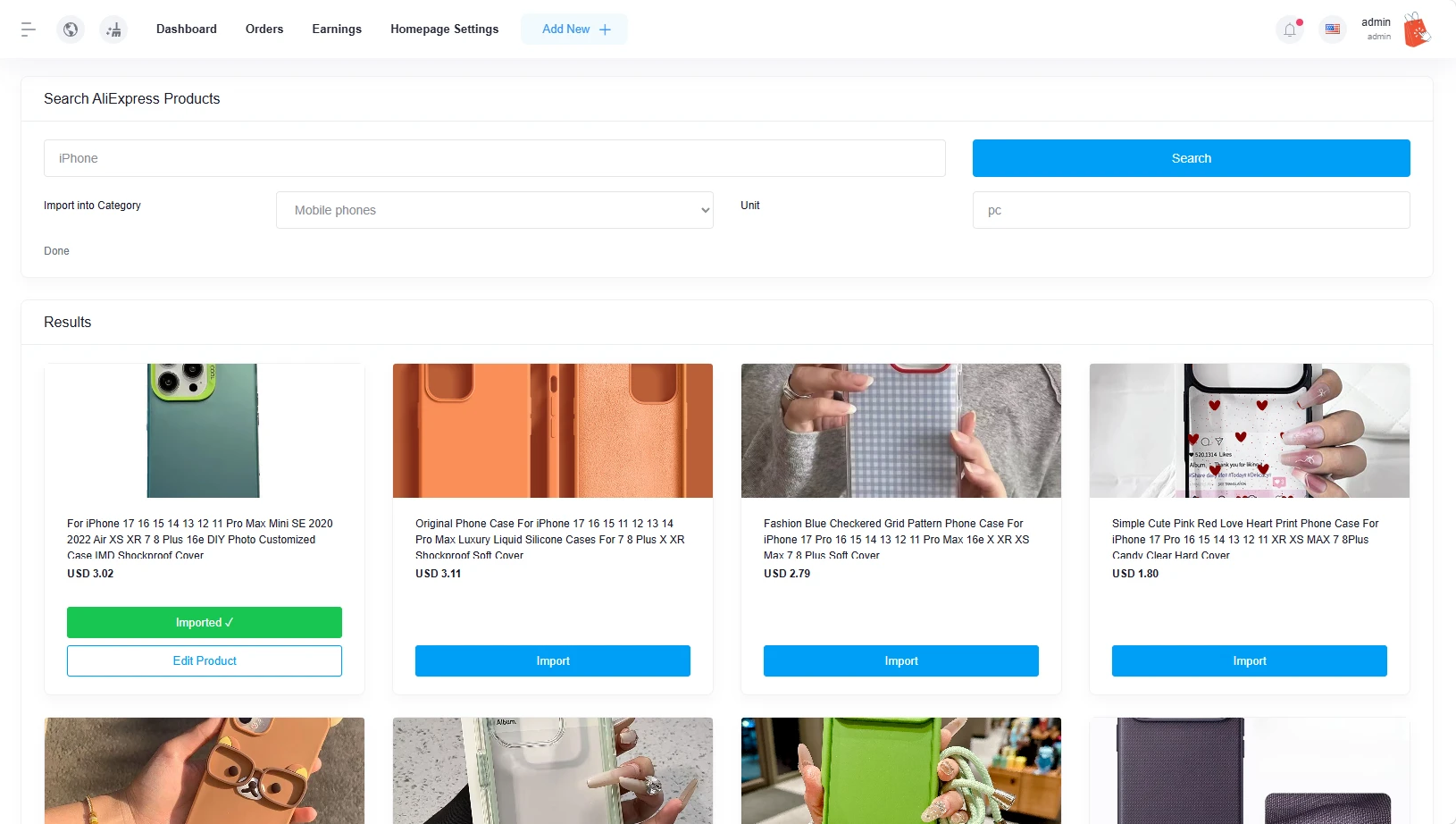
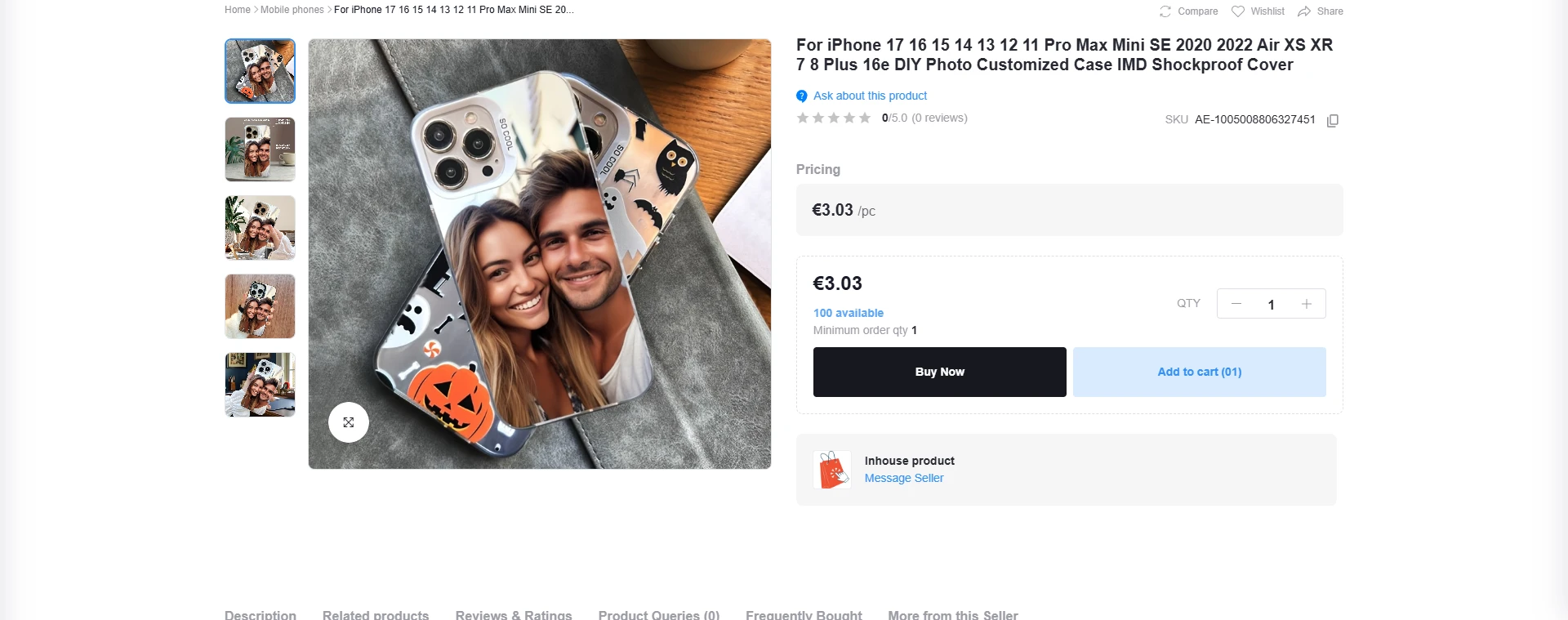
Once published, an imported product behaves exactly like any other product on your site — full gallery, normal Buy Now / Add to Cart buttons. Customers never see where it came from.
06Fulfilling orders
When a customer orders a product sourced from AliExpress, open that order in Sales (or Orders, for sellers) — you'll see two tools next to that item:
Buy on AliExpress (manual)
A direct link to the product's AliExpress page with the correct quantity, plus a Copy Address button that copies the customer's full shipping address to your clipboard — paste it straight into AliExpress checkout.
Place Order on AliExpress (one click)
Click this and the addon creates the matching order on AliExpress automatically via their official API — product, quantity and shipping address all filled in for you. You'll get a real AliExpress order number immediately.
07Multi-vendor setup
Every seller repeats the "Connecting your AliExpress account" steps above with their own AliExpress app and account — this is completely independent per shop. One seller's connection, imports and orders never affect another seller's, or the admin's.
| Setting | Scope |
|---|---|
| License key | Site-wide (entered once, during installation) |
| App Key / App Secret | Per admin/seller |
| AliExpress account connection | Per admin/seller |
| Imported products | Owned by whichever admin/seller imported them |
08Troubleshooting
"Place Order" says the AliExpress listing is no longer available
The AliExpress seller has removed or delisted that specific product since you imported it — this happens on any dropshipping platform, since you don't control the source listing's lifetime. There's no way to place that order automatically; find an alternative supplier for that product, or fulfill it manually.
"Place Order" says the item is out of stock
The AliExpress supplier is temporarily out of stock for that exact item/variant right now. Try again later, or source it from an alternative supplier.
Search fails right after connecting
Your App Key/Secret alone aren't enough — you also need to click Connect to AliExpress on the Settings page and complete the authorization. This error means search is being attempted without that connection completed yet.
Do I need to re-enter my license key after installing?
No — the installer verifies and saves it automatically. You can double-check it any time under Settings > Addon License.
I installed/updated the addon but it's still behaving like the old version
Most PHP hosting has OPcache enabled, which keeps compiled copies of your PHP files in memory for speed. It's supposed to notice when a file changes on disk, but on some hosts it doesn't reliably do this for files replaced by an installer/FTP/file manager rather than a normal deploy — so the server can keep running the old code even though the new files are clearly there.
If behavior doesn't change after installing or updating: ask your host to restart PHP-FPM (or reload/restart it yourself if you manage the server), or restart the whole web server if that's not available. Most managed hosts have a one-click "Restart PHP" option in their control panel. This resolves it immediately.
09Uninstalling
routes/admin.php and admin sidenav files, not just new files — and dropping the database tables/columns it created. This isn't something we recommend doing yourself without guidance.
Take a full backup (files + database) before installing, so you can restore it if you ever decide to remove the addon. If you do want to uninstall, contact support below rather than deleting files or tables on your own.
10Support
Questions, bugs, or need help installing?
We respond to every message from a verified buyer.
Email dropsynclabs@outlook.comDiscord: DropSyncLabs